Introduction
This blog post is a write-up of the Free Flag Fumble (Hard) challenge from pwn.college.
Gaining insights on the binary
The first step I usually do, is to check the mitigations of the binary using the checksec command in pwndbg. The command’s output shows that all the mitigations are turned on.
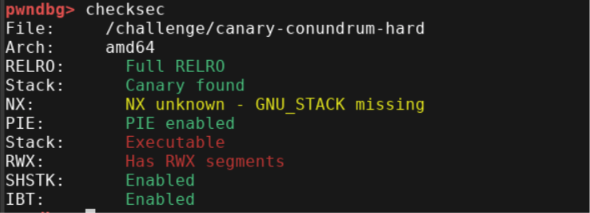 (The mitigations status)
After executing the binary, the user is prompted to select one of the following options: malloc, free, puts, read_flag, or quit.
CommandLine
$ /challenge/canary-conundrum-hard
###
### Welcome to /challenge/free-flag-fumble-hard!
###

[*] Function (malloc/free/puts/read_flag/quit):
Finding the vulnerability
Let analyze what every option do.
-
malloc: As the name suggests, this option allocates memory using the malloc function. As shown in the code snippet below, the user is prompted to specify an index in the pointer table and the size of the memory to allocate. The pointer returned by malloc is then stored at the specified index in the pointer table.
-
free: This option frees the memory associated with the user-specified index in the pointer table. However, notice that although the allocated memory is freed, the corresponding pointer remains in the table, potentially resulting in a dangling pointer.
-
puts: This option prints the string pointed to by the pointer stored at the user-specified index in the pointer table.
-
read_flag: read_flag: This option performs two heap allocations using malloc, each with a size of 368 bytes. It then reads the flag and writes its contents into the second allocated memory block.
-
quit: This option exit the program.
Exploiting the vulnerability
The flag is then successfully captured, as shown below.
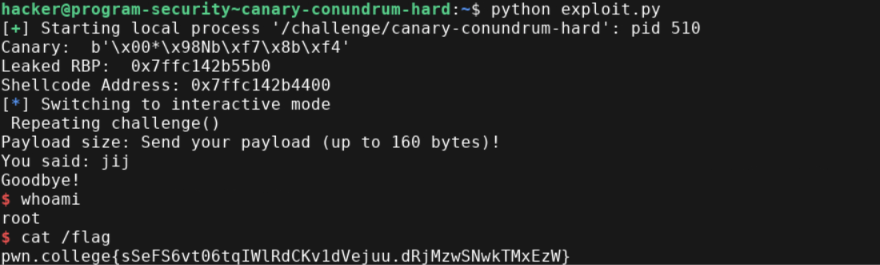 (The flag)